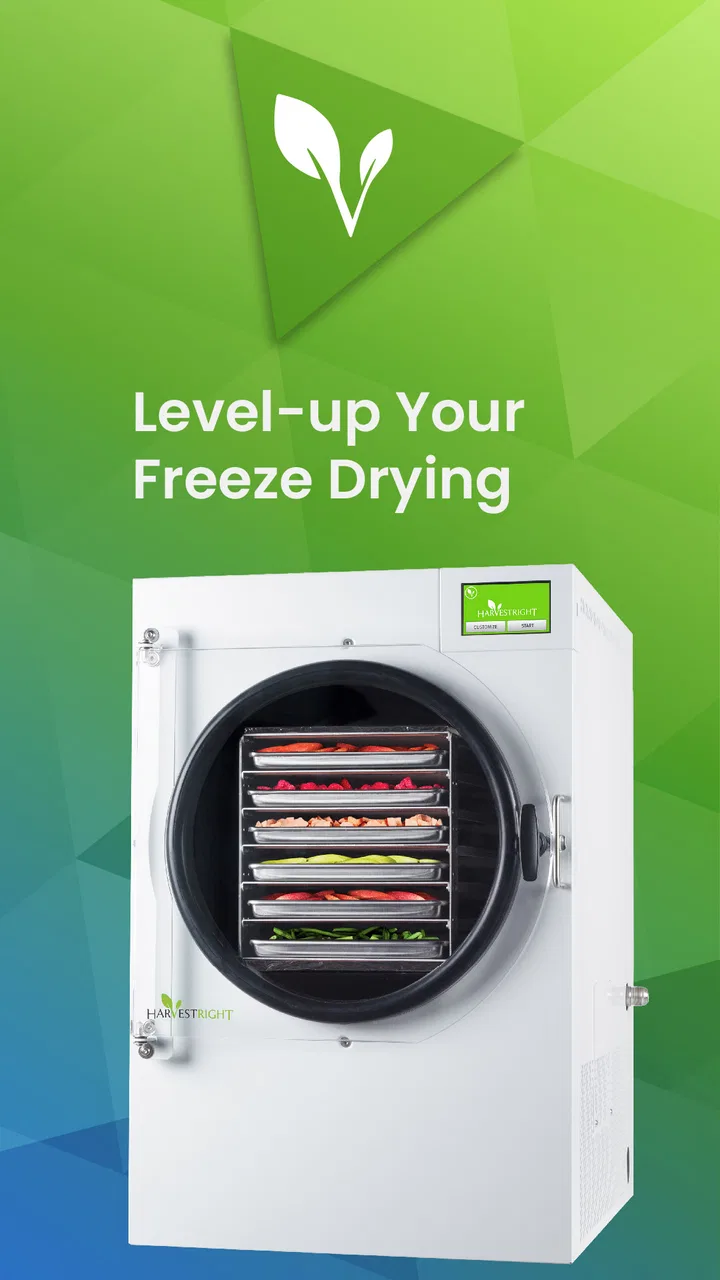
Harvest Right
- 4.7
- Rating
- 10.00K
- Installs
- Free
- Price

 Analysis by App-foxy
If you own a Harvest Right freeze dryer, the Harvest Right app is designed to make the machine feel less isolated from the rest of your home routine. I approached it as a first-time user would: install it, connect it to the appliance, and see whether it actually helps with the practical work around freeze drying rather than simply repeating information already available on the machine. My overall impression is that it is most useful as a companion for people who already have, or are seriously considering, a Harvest Right freeze dryer. It is not a general food-preservation app, and it will not replace the appliance itself.
The app sits in the House & Home category and is developed by Harvest Right. It is free to use, has an Everyone content rating, and works on devices running Android 7.0 or later. Its current version is 1.0.54, and it was released on August 9, 2024. Those details matter mainly because they make the app accessible to a wide range of Android users, including people using an older phone that may not run newer software comfortably.
After spending time with it, I would describe the experience as practical rather than flashy. The central idea is direct access to the freeze dryer, with the goal of helping you get more control and awareness while a batch is running. That sounds simple, but it addresses a real annoyance: freeze drying is not always a one-minute task, and being tied to the appliance can make the process feel more demanding than it needs to be.
You May Also Like

 Pandora - Music & Podcasts
Pandora’s Music Is Easy to Start, but Harder to Recover
Pandora’s strength is its low-effort path from a seed to a station. Its weak spot is how much confidence it asks you to place in connection, setup, and quiet recovery.

 8 Ball Pool
 Is Built on Rivalries, Rematches, and Routine
A close look at the rivalries, rematches, shared routines, and unanswered safety questions that turn a quick pool match into a persistent mobile community.

 Samsung Music
’s Quiet Strength Is Playing What You Already Own
Its reach comes less from spectacle than from dependable access to a personal library. That simplicity is both the app’s strongest retention engine and its ceiling.

 AccuWeather: Weather Radar
AccuWeather Review: A Quick, Clear Forecast for Everyday Decisions
For everyday plans, the best forecast is the one you can understand quickly. AccuWeather makes rain timing, radar, and local conditions easy to act on, with a few trade-offs.

 Hill Climb Racing
Why Hill Climb Racing Still Turns Crashes Into One More Run
A tiny car, a bumpy hill and one more upgrade: Hill Climb Racing keeps resurfacing because its simple chaos makes every near-miss feel personal.

 AliExpress - Shopping App
AliExpress Makes Global Shopping Feel Personal, but Shoppers Bear the Risk
AliExpress turns a global marketplace into a pocket-sized discovery engine. Its reach is useful, its shopping loop compelling, and its trade-offs easy to miss.
More From Our News Desk
View All News


What to expect before connecting your freeze dryer
The first thing I would tell a new user is to keep expectations realistic. This is not an app that becomes useful on its own after installation. Its value depends on having a compatible Harvest Right freeze dryer and being willing to work through the connection process. If you downloaded it because you are curious about freeze drying but do not own the appliance, there is very little reason to keep it installed.
For an owner, however, the purpose is clear: the app gives you a way to interact with the machine without treating the appliance's physical screen as your only point of contact. That is especially helpful when the freeze dryer is placed in a utility room, garage, basement, pantry, or another area you do not pass through constantly.
I also found that the app makes the most sense when used as part of a routine. Freeze drying is easier to manage when you think in stages: prepare the food, load the trays, begin the cycle, check progress, and handle the finished batch. The app is most valuable in the middle of that routine, when you want awareness of the machine without repeatedly walking over to inspect it.
The important distinction is that this is a control and monitoring companion, not a replacement for good freeze-drying habits. You still need to prepare food sensibly, load the trays carefully, keep the machine in an appropriate location, and pay attention to the finished result. A phone cannot correct an overloaded tray, poor packaging, or food that was not prepared consistently.
The app has earned a 4.7 average from around 858 ratings, with more than 142 written reviews, and it has passed 10K+ installs. I see those figures as encouraging signs that the basic idea is working for many owners, although a rating cannot tell you whether your particular phone, home network, or freeze dryer setup will be effortless. Connected-appliance apps often depend on the environment around them, so I would judge this one by how well it fits your routine rather than by the rating alone.
There is also a useful psychological benefit for beginners. When you are new to freeze drying, it is easy to feel that every batch requires constant supervision. Having a companion app can make the process feel more manageable because you can build checks into your day instead of hovering near the machine. I would not treat that as permission to ignore the appliance, but it can reduce unnecessary interruptions.
Who will get the most from it
The strongest audience is a household that freeze dries regularly: people preserving garden produce, preparing ingredients for later meals, building a long-term food supply, or simply trying to make better use of seasonal food. In those situations, small improvements in convenience add up. Checking the machine from the phone becomes more useful when you are running batches repeatedly rather than once every few months.
It can also suit a household where more than one person shares the work. One person may load the trays while another checks the cycle later. The app can make that handoff easier because the appliance does not have to be physically inspected every time someone wants to know what is happening.
I would be more cautious about recommending it to someone who expects a complete recipe library, detailed food science lessons, or a substitute for learning how freeze drying works. The app's identity is tied to the appliance. If your main interest is comparing preservation methods, planning meals, or recording pantry inventory, a dedicated notes, recipe, or inventory tool may be a better fit.
It is also not the right choice for someone who does not want connected devices in the home. Even when an app is free, connection setup and phone-based control introduce another layer to maintain. Some users prefer a machine that they operate manually and check in person. For them, the app may feel like an extra step rather than a convenience.
Getting through the first setup without unnecessary frustration
For the first setup, I recommend treating the process as a short project rather than something to rush through while food is waiting on the counter. Have the freeze dryer available, keep your phone nearby, and make sure you are using a device that meets the Android requirement. Starting with the appliance powered and ready saves time because you can respond immediately if the app needs you to inspect or interact with it.
Download the free app from the appropriate app store, open it, and follow its connection flow. The exact experience can depend on the appliance and the home network, so I would avoid assuming that installation alone means the machine is ready. The meaningful milestone is not seeing the app icon on your phone; it is confirming that the app can recognize and communicate with your freeze dryer.
A useful beginner habit is to perform the connection before loading a valuable batch. Use an empty or low-stakes moment to learn where the appliance appears in the app, what information is visible, and how you return to the main screen. This prevents the first setup from becoming part of a stressful food-preservation session.
If the connection does not work immediately, I would troubleshoot in a calm order. First, check that the freeze dryer is powered and that your phone is using the intended home network. Next, close and reopen the app, then look again for the appliance. If the machine is in a location with a weak signal, moving closer during setup may help. These are ordinary connected-device checks, but doing them before starting a batch is much safer than experimenting halfway through a cycle.
One non-obvious tip is to decide where your phone will be when you use the app. If you normally leave it charging in the kitchen, but the freeze dryer is in a basement, you may not notice updates as quickly as you expect. If you rely on the app as part of your routine, keep notifications and phone settings from silently interrupting that routine. The app can only help if you actually see and act on the information it presents.
Another practical point is to keep the physical controls familiar. I would not use the app as an excuse to forget how to operate the freeze dryer directly. A connected feature is convenient, but the appliance remains the central tool. Knowing how to check it in person gives you a fallback if your phone battery is low, your network is unavailable, or the app needs attention.
The setup question many new users have is whether the app is useful immediately or only after a learning period. In my experience, its first value is modest but clear: it reduces the need to walk to the machine just to check its state. The deeper benefit appears after several batches, when you start using it to organize your attention and make the appliance part of a repeatable household schedule.
Your first meaningful success
I would define the first successful action as completing one connection check and then using the app during a real batch without constantly reopening it out of uncertainty. Begin with food you already understand and a batch size you can manage comfortably. The goal is not to prove that the app can handle every situation; it is to learn how it fits into your normal process.
Before starting, prepare the trays and make a simple mental note of what you loaded. This is more useful than relying on the app to remember details it was not designed to replace. If the batch contains different foods, knowing their locations helps you judge the result later. The app can help you stay aware of the machine, but your own preparation notes remain valuable for improving future batches.
Once the cycle is underway, step away and continue with your day. Check the app at a sensible interval instead of repeatedly refreshing it. This is where the app's convenience becomes tangible: you can make a quick check while preparing dinner, working at a desk, or moving around the house. If everything looks normal, you can leave the appliance alone and return to your other task.
A particularly useful workflow is to pair an app check with an existing habit. For example, I would check the machine when I make coffee, finish a meal, or begin an evening routine. That approach is better than trying to remember random inspection times because it turns monitoring into something automatic. It also prevents the app from becoming another source of digital clutter.
When the batch is finished, do not rush past the physical inspection. Look at the food, check for pieces that need more attention, and package it properly for storage. The app can help you know when to return to the appliance, but it cannot replace judging whether the food is fully dry or whether the packaging is suitable. This is one of the most important trade-offs: remote awareness saves trips, while final quality control still belongs to the person using the machine.
For a first batch, success is not just finishing the cycle. It is learning three things: how quickly you notice the app's information, how often you actually need to check the appliance, and whether the connection remains dependable in the place where the machine lives. Those answers tell you more about the app's value in your home than a short installation test.
Where beginners may become confused
The most common confusion is likely to come from the difference between an app showing access to the appliance and an app doing the entire preservation job for you. The phone does not remove the need for preparation, cleaning, storage, or judgment. If a batch turns out poorly, the app should not be the first thing blamed. The cause may be food thickness, loading, moisture, packaging, or another part of the process outside the app.
Another possible point of friction is assuming that a connected appliance behaves exactly like a messaging app. People expect instant updates from every connected product, but the useful question is whether the app gives you enough awareness to make a decision. If you are checking every few seconds, you may feel disappointed even when the app is doing its job. Use it for meaningful checks, not as a live video feed of the machine.
It is also easy to confuse convenience with automation. The app may help you access the freeze dryer, but you should still plan who is responsible for the batch. In a shared home, decide whether the person who starts the cycle, the person who receives the update, or the person who usually packages food will handle the final step. Without that agreement, a notification can be seen by everyone and acted on by nobody.
Privacy and phone habits deserve a practical mention too. Before using any connected-home product, I prefer to review what the app asks for during setup and to keep my phone's permissions organized. I would not grant access casually, and I would not install it on a device that other household members cannot use when needed. This is not a criticism specific to Harvest Right; it is simply sensible housekeeping for any appliance companion.
There is also a difference between the app's usefulness for a dedicated freeze-drying space and its usefulness for a machine located close to your everyday living area. If your freeze dryer is already beside the kitchen, walking over may be faster than opening the app. If it is across the house or in a less accessible room, remote access becomes much more valuable. That location-based trade-off is easy to miss when reading a short store description.
When the usual alternative is manual operation, the choice is straightforward. Manual checking is simpler and does not depend on a phone, but it costs more time and attention. When the alternative is a general smart-home dashboard, the Harvest Right app has the advantage of being focused on this specific appliance rather than forcing you to build a custom setup. On the other hand, a broader home system may be preferable if you want one place to manage many unrelated devices.
How to make it worthwhile after the first batch
After the first successful run, I would keep using the app only if it changes your behavior in a useful way. Does it save trips to the appliance? Does it make shared household responsibilities clearer? Does it help you notice when you should return to the machine? If the answer is yes, it has earned a place in your routine. If you still walk over to inspect everything out of habit, the app may not be adding enough value for your setup.
One advanced but simple workflow is to use the app as a reminder anchor rather than as a constant dashboard. Start the batch, note what you loaded, and then check the app at natural points in your day. This keeps the phone involved without turning freeze drying into a stream of alerts. It also leaves room for the physical inspection that determines whether the finished food is actually ready.
Another useful habit is to compare what the app tells you with what you observe at the appliance during your early batches. This builds confidence in the connection and helps you learn how much attention your particular routine requires. Once you understand that pattern, you can check less often while still staying responsible for the process.
For households preserving garden produce, the app is most helpful when batches overlap with ordinary chores. You might load food before leaving for work, check the appliance during a break, and handle the finished batch later. For a family preparing ingredients for camping or emergency storage, it can make the machine easier to share. For occasional users, the benefit is smaller, but the free price removes the financial barrier to trying it alongside an existing Harvest Right appliance.
I would skip it if you are looking for an independent recipe planner, a pantry database, or a broad food-preservation guide. I would also skip it if you strongly prefer keeping appliances offline and do not mind checking them manually. In those cases, a notebook, timer, or general household organizer may be less complicated and better aligned with your habits.
For everyone else, my recommendation is positive but specific: install it when you own a Harvest Right freeze dryer and want easier access to that machine, not because you expect a complete freeze-drying education platform. The app's free cost, Everyone rating, broad Android compatibility, and focused purpose make it easy to test. Its real value appears when the appliance is far enough away, busy enough, or shared enough that checking it manually becomes a nuisance.
My final advice is to start with one low-pressure batch, connect the app before loading important food, and keep your physical inspection habits in place. That approach gives you a fair test without asking the app to do more than it is meant to do. In my view, Harvest Right has created a useful companion for its own equipment: not essential for every owner, but genuinely convenient for people who want freeze drying to fit more smoothly into everyday home life.
With its 1.0.54 version, the app feels like a focused tool rather than an oversized household platform. I would recommend it to regular Harvest Right users, especially those managing a machine outside the main living space or sharing responsibility with family members. I would not recommend installing it simply out of curiosity if you do not have the appliance. Used in the right context, it turns a hands-on preservation task into something easier to keep track of while still leaving the important food-safety and quality decisions in your hands.
FAQs for Harvest Right
01What is Harvest Right and what does it do?
Harvest Right is an innovative app designed to accompany the Harvest Right freeze dryer, allowing users to monitor and control their freeze-drying process remotely. It provides real-time updates on batch progress, temperature settings, and allows for adjustments, ensuring that users can create high-quality, preserved foods with ease.
02Is Harvest Right compatible with all devices?
Yes, Harvest Right is available for both Android and iOS devices. The app is optimized for smartphones and tablets, ensuring a seamless experience regardless of your device. However, it’s important to keep your device’s operating system updated for the best performance and compatibility with the app.
03Do I need an account to use Harvest Right?
Yes, you need to create an account to fully utilize Harvest Right. This allows you to save settings, track previous batches, and receive personalized notifications. Account creation is straightforward, requiring minimal information, and is essential for syncing your device with the freeze dryer.
04What features does Harvest Right offer?
Harvest Right offers a comprehensive suite of features including real-time monitoring of the freeze-drying process, customizable notifications, batch history tracking, and the ability to adjust freeze dryer settings remotely. These features enhance user convenience and ensure optimal batch results.
05Is my data secure with Harvest Right?
Harvest Right prioritizes user data security by implementing industry-standard encryption and privacy protocols. Your personal information and batch data are securely stored, ensuring that only you have access. Regular updates and security patches further protect your data from unauthorized access.
Pros
- User-friendly interface for easy navigation.
- Customizable settings for personalized use.
- Efficient in saving time and resources.
- Strong community support and updates.
- Compatible with various devices and OS.
Cons
- Requires a stable internet connection.
- Limited features in the free version.
- Occasional bugs reported by users.
- High resource usage on older devices.
- Customer support response times vary.

Harvest Right
Gallery